Failed three prop firm challenges before finding PipTrend. The system gave me the structure I was missing, clear entries, defined exits, no more revenge trading. Currently funded and scaling.
How It Works
How PipTrend Works
From signup to your first trade in under 5 minutes. See the indicator in action and learn exactly how to use it.
Smart Signal Engine
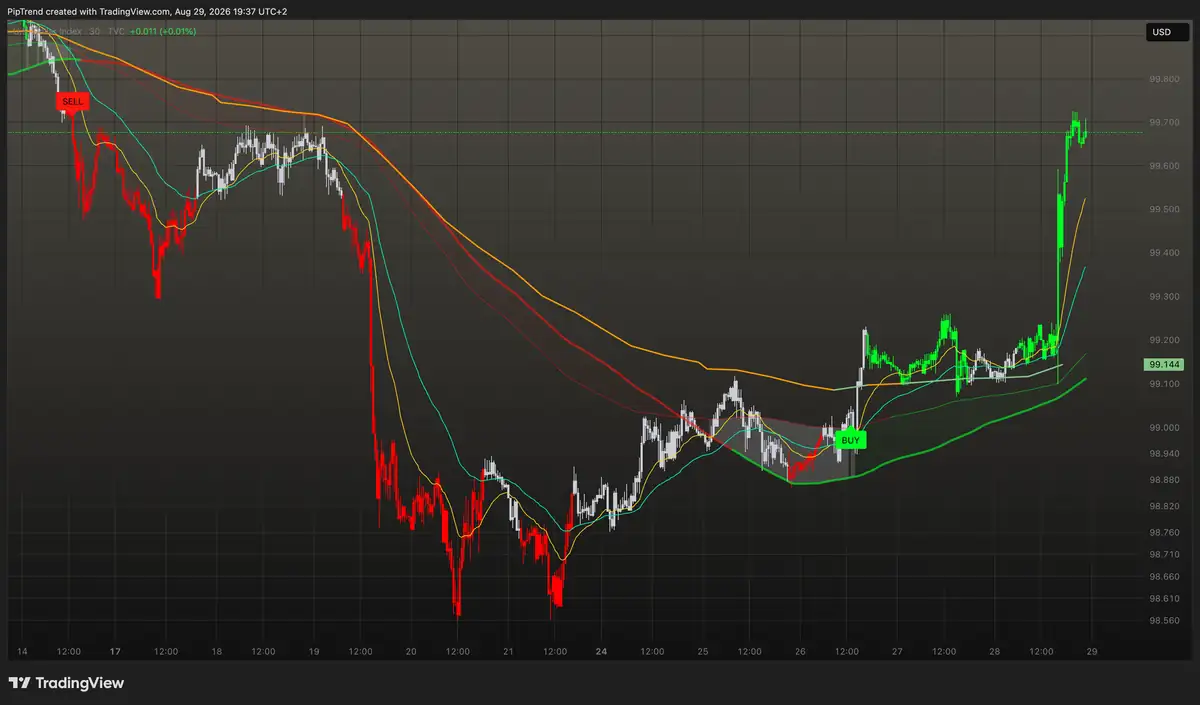
PipTrend generates clear BUY and SELL signals directly on your chart. Color-coded candles show trend direction at a glance, green for bullish, red for bearish, gray when the trend is forming.
- check_circle Built-in fakeout filter reduces false signals in choppy markets
- check_circle Color-coded candles show trend momentum at a glance
- check_circle Works on any timeframe (1m to Monthly)
- check_circle No lag, calculates in real time
Multi-Timeframe Dashboard
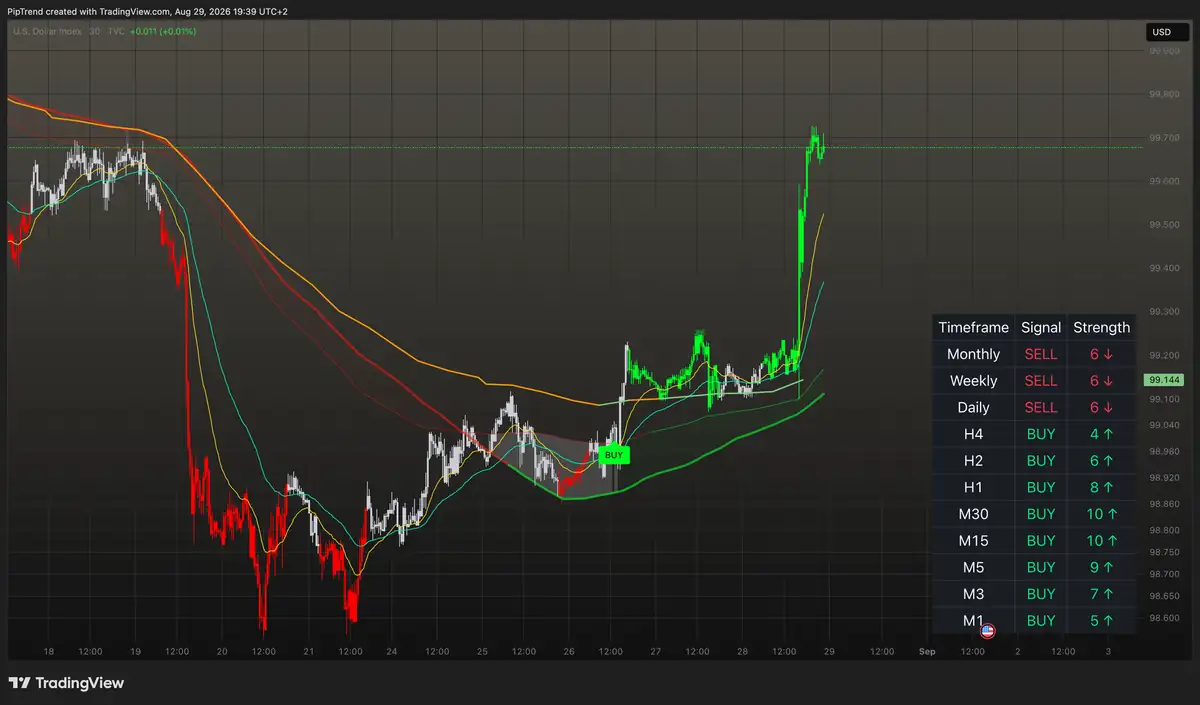
The built-in MTF table shows you trend alignment across all major timeframes at a glance. When multiple timeframes agree, you have the confluence needed for a high-probability trade.
- check_circle 12 timeframes from 1-Minute to Monthly
- check_circle Color-coded trend direction per timeframe
- check_circle Spot multi-timeframe agreement at a glance
Session Liquidity
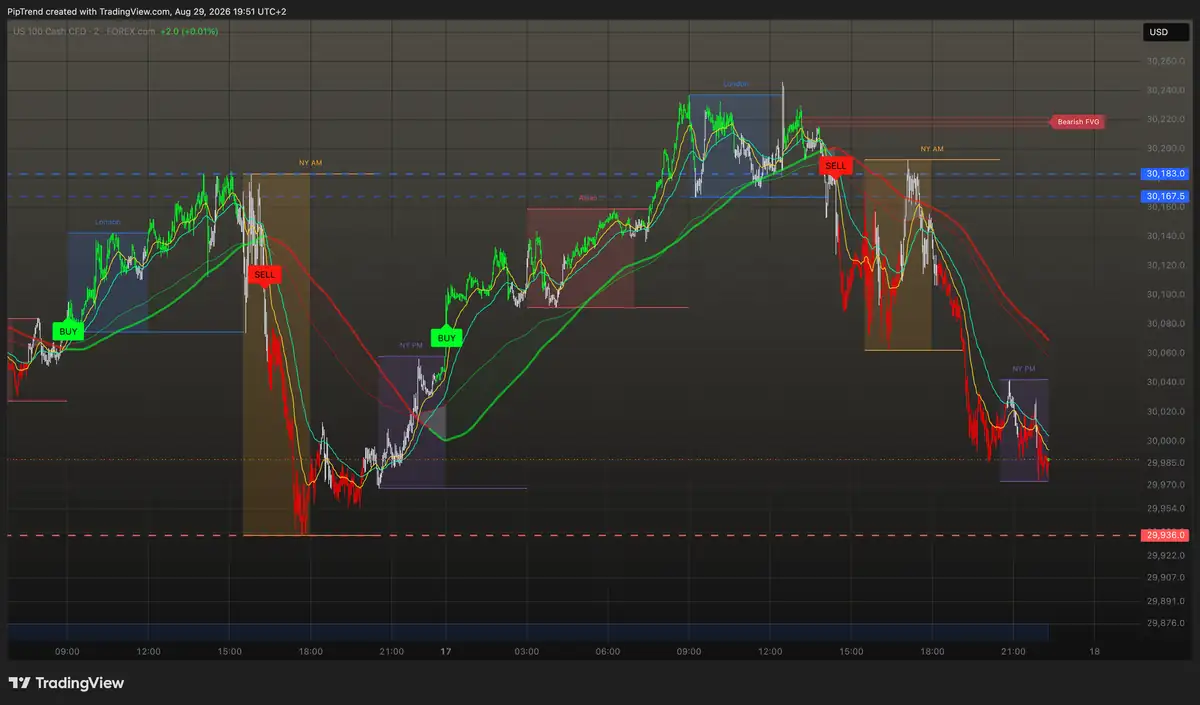
PipTrend pinpoints precision entry and exit levels directly on your chart. HOD/LOD, VWAP, supply and demand zones, and fair value gaps, with automatic session highlighting so you know exactly when and where to enter.
- check_circle HOD/LOD and Previous Day levels mapped automatically
- check_circle VWAP and supply/demand zones for precision entries
- check_circle Killzone highlighting for Asian, London, and NY sessions
Setup Guide
Get Started in 4 Steps
From zero to live signals on your chart in under 5 minutes.
1
Subscribe & Connect to TradingView
Choose your plan on PipTrend and create your account. If you don't already have one, sign up for a free TradingView account, PipTrend works on all TradingView plans, including the free tier.
2
Add PipTrend to Your Chart
Once your account is activated, you'll receive an invite to the PipTrend indicator on TradingView. Open any chart, go to Indicators, and add PipTrend from your Invite-Only scripts.
3
Set Your Alerts
Configure TradingView alerts for PipTrend signals. Choose your preferred notification method, push notifications, email, or desktop alerts. You'll be notified the instant a trade setup confirms.
4
Follow the Signals
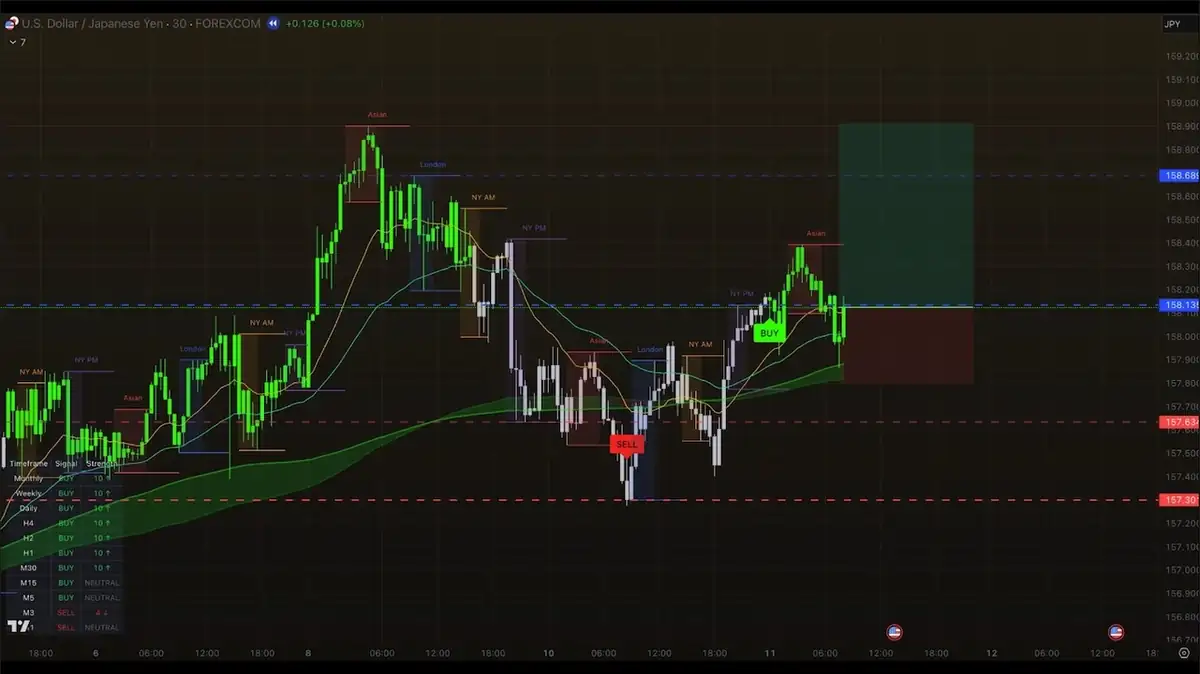
When a signal fires, check the trend direction and look for entry at key liquidity levels. Use the MTF table to plan your hold time, then execute the trade on your broker.
timeline Entry → Target
check_circle Target reached
What Traders Are Saying
Real Traders, Real Results
See what our community is saying about PipTrend.
I've been trading for 3 years and never had a consistent month until PipTrend. The system removes the guesswork, I see the direction, enter at liquidity, and the MTF table tells me when to hold. My trading finally feels repeatable.
I trade around a full-time job. The alerts changed everything, I set them up once, and PipTrend notifies me when a setup confirms. No more staring at charts for hours hoping something appears.
After wasting money on indicators that gave false signals in choppy markets, I was done. PipTrend's fakeout filter keeps me out of bad trades, and the Confidence Band shows me exactly where to look for entries. The liquidity levels and MTF confluence are a bonus.
Started with Forex, now I run PipTrend on Gold, NAS100, and BTC. Same system, every market. The Session Liquidity levels are precise, my entries are tighter and my stops are smaller.
Clean signals. Real levels. No clutter. Exactly what I needed to stop overcomplicating my charts.
100+ active traders
Forex · Crypto · Indices · Commodities
Built for TradingView
Ready to See It On Your Chart?
Set up PipTrend in under 5 minutes and start receiving clear signals on your chart today.
Secure checkout via Whop · Instant access · 30-day money-back guarantee